
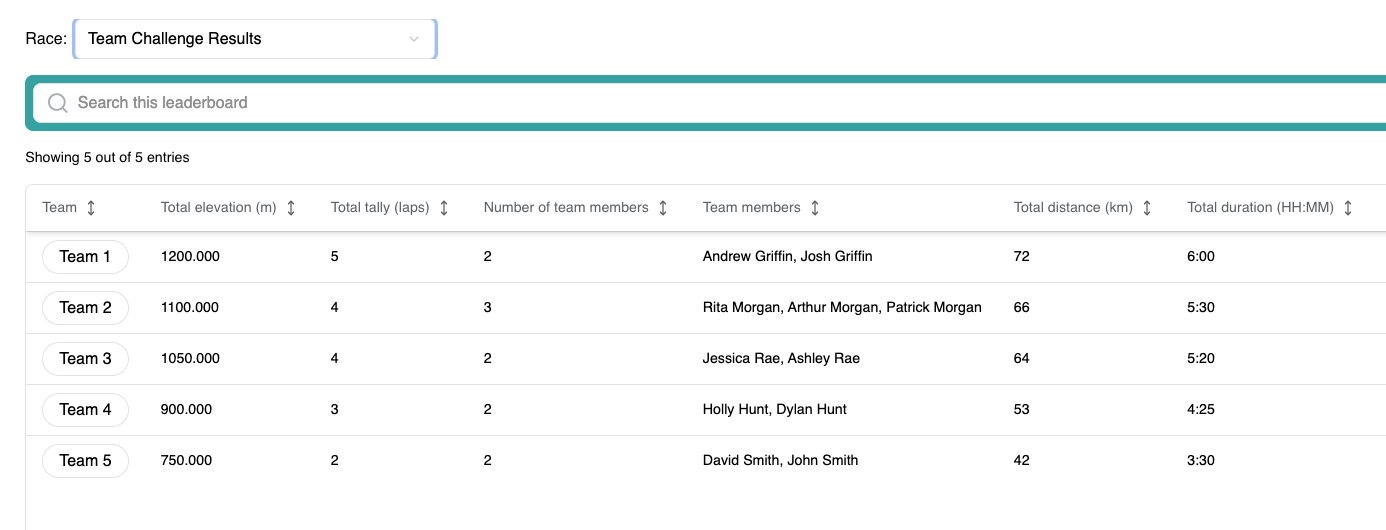
Event organisers and timers can generate aggregate reports to calculate cumulative team totals for a virtual challenge. These reports can then be uploaded to display a team leaderboard alongside individual results, simplifying team-based reporting and improving the participant experience.
Generate the aggregate report
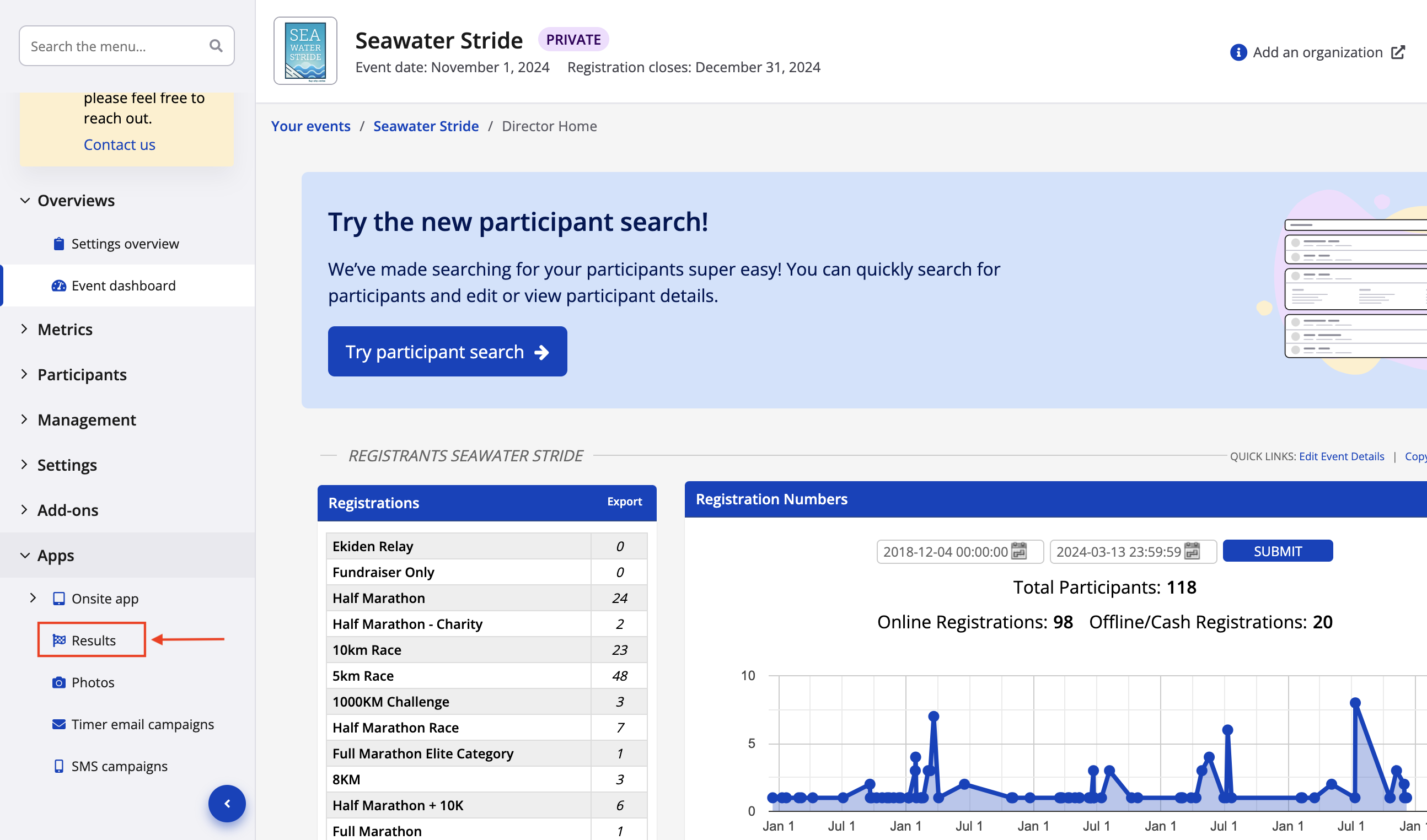
1. From the event dashboard, navigate to Results listed under Apps in the left hand sidebar.
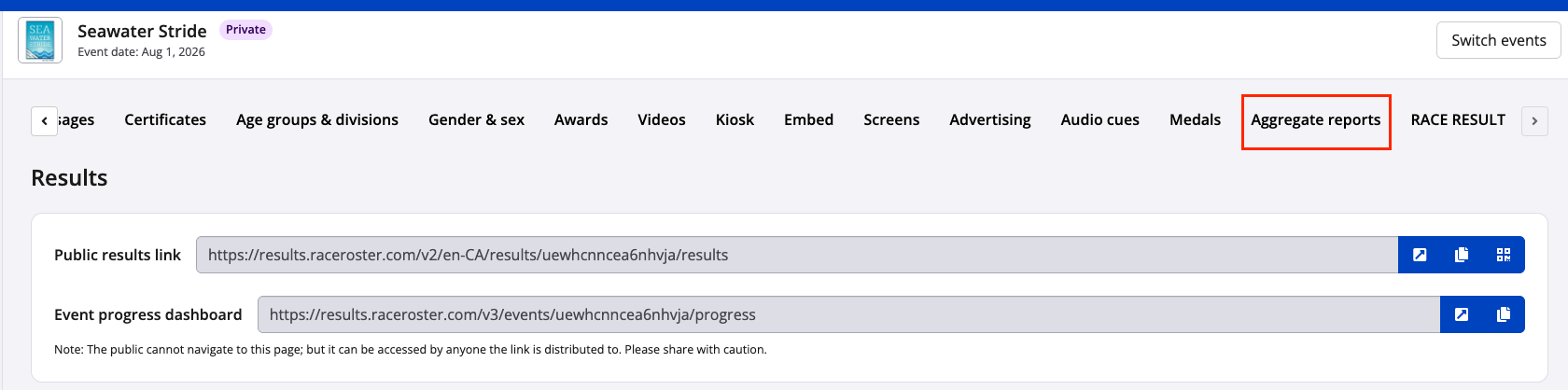
2. Select Aggregate reports from the top of the Results dashboard.
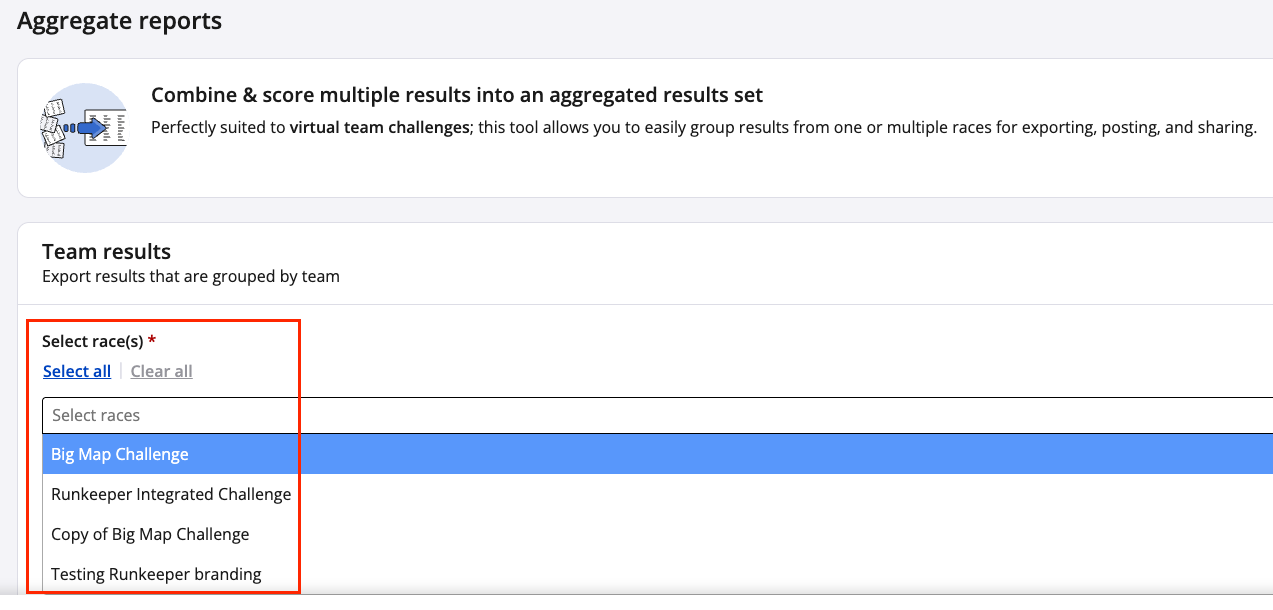
3. Select the race(s) included in the virtual challenge.
4. Choose the export format (CSV or TSV) and click Export results

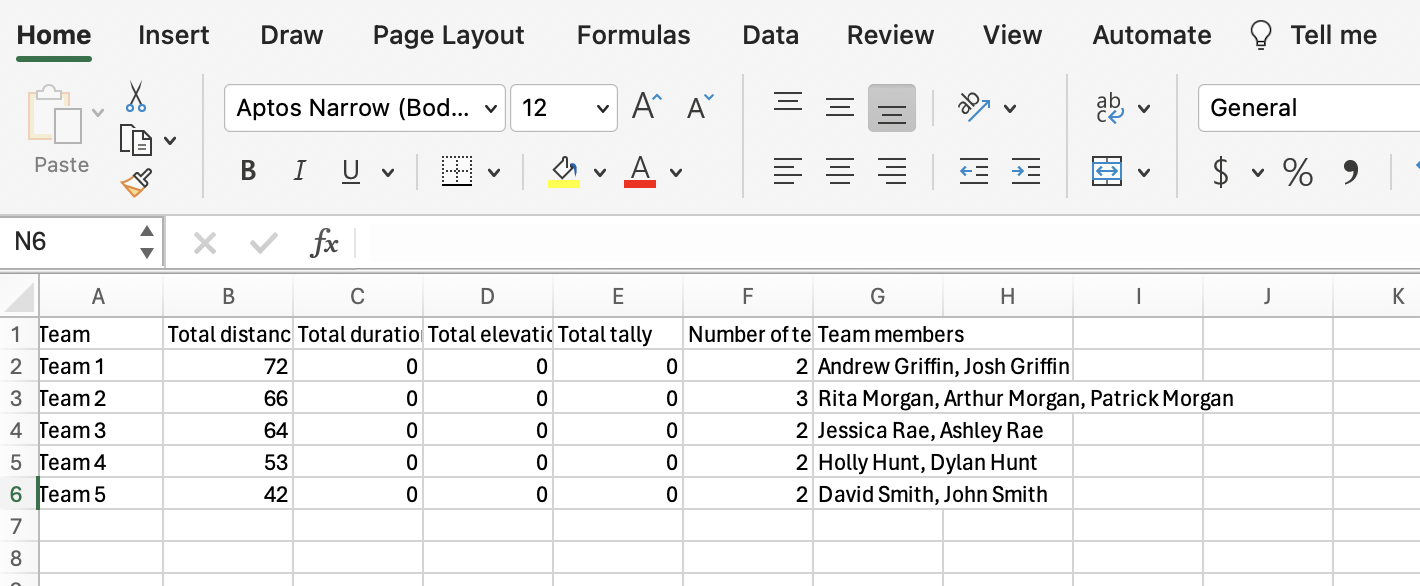
The generated report includes:
- Team name
- Total distance
- Total duration
- Total elevation
- Total tally
- Number of team members
- Team members
Additional columns can be added or adjusted as needed (e.g. overall place).
Upload team results as a leaderboard
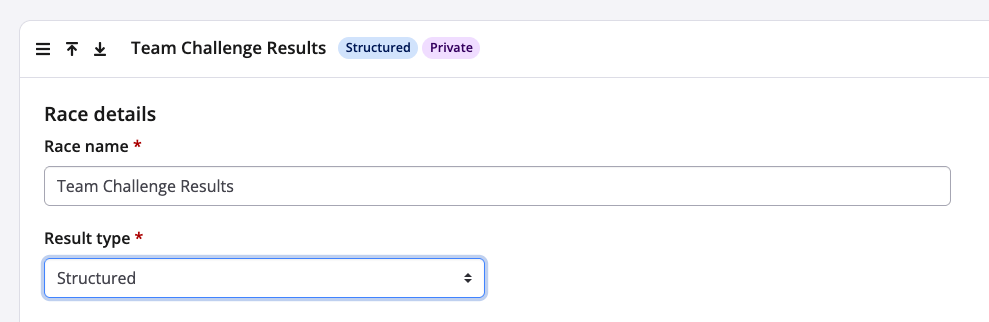
5. Return to the Results section and create a new structured race for team results
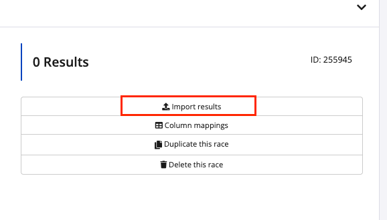
6. Click Import results and upload the aggregate report file. For more information on how to upload results see HERE
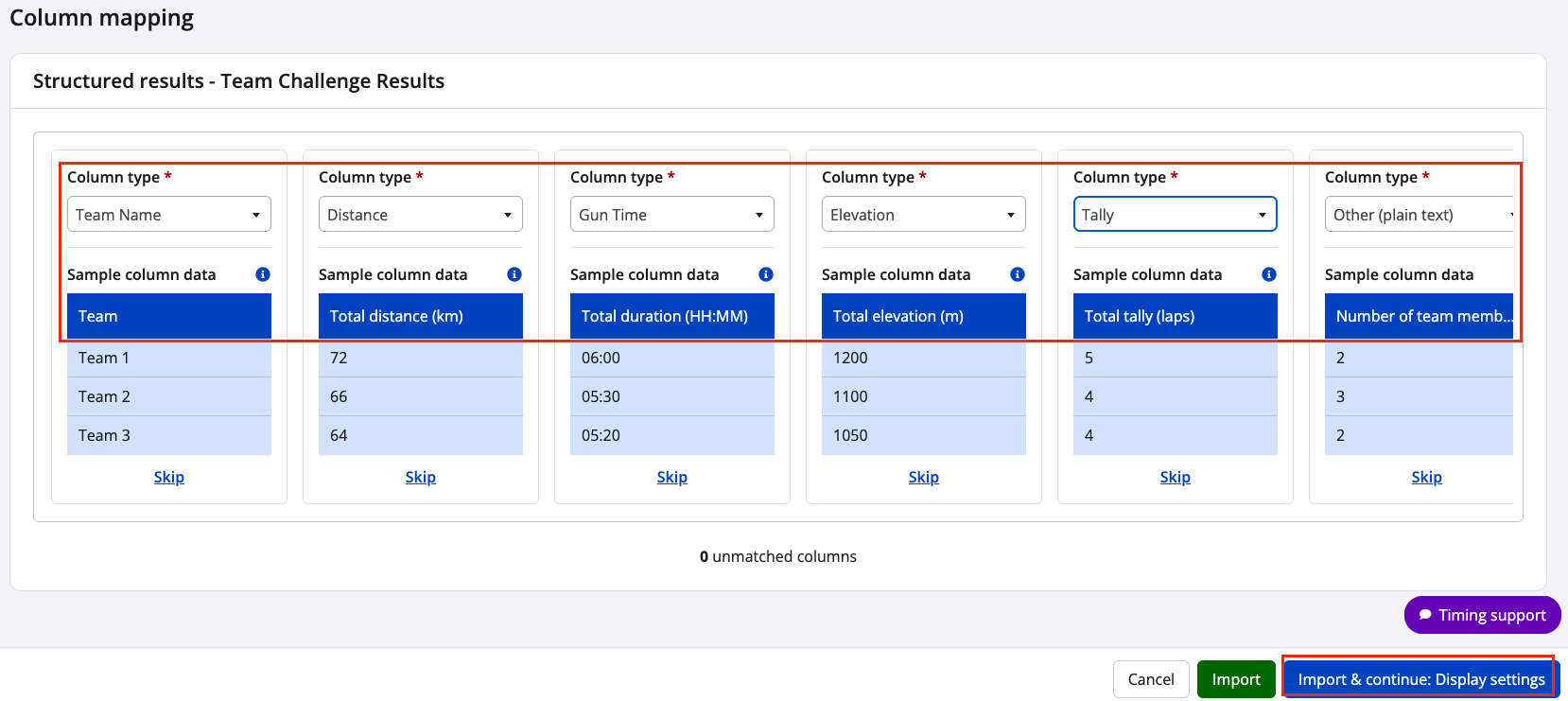
7. Match columns and adjust Column Type as required, then complete click Import & continue: Display settings
 8. Enable Results are viewable by the public
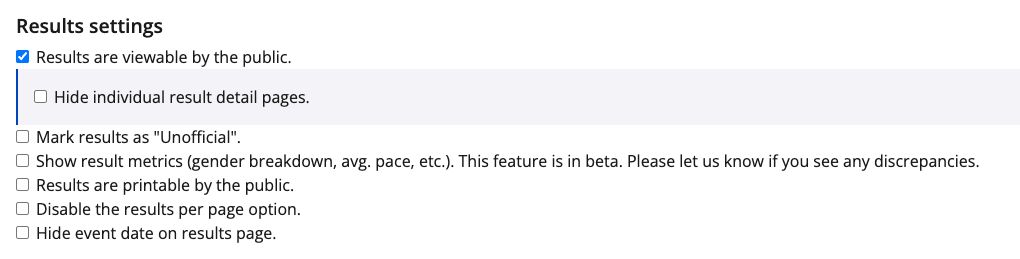
9. The team leaderboard will then be available on the public results page alongside individual results.
If you have any questions please contact us at timer@raceroster.com