
If an event organizer is allowing participants to request donation tax receipts, an additional feature is available that allows for the donation receipt issuance to be more automated.
To enable automated tax receipts, please follow the instructions below:
1. Sign in to the dashboard as an Event Organizer.
2. Search the menu on the left for Settings → Fundraising. To add a fundraising organization, please reference the article How to link a Non-profit Organization with an event.
3. Next to the fundraising organization, select the three dots under the Action column & Edit.
4. Scroll down and ensure that Allow requests for donation receipts is toggled on and set the minimum donation amount for donors to receive a donation tax receipt. This provides donors the option to request a tax receipt while donating, or automatically opt-in to receive a tax receipt if that is also toggled on.
5. Toggle on Enable Race Roster issued donation tax receipts to allow tax receipts to be generated and automatically issued by Race Roster once approved.
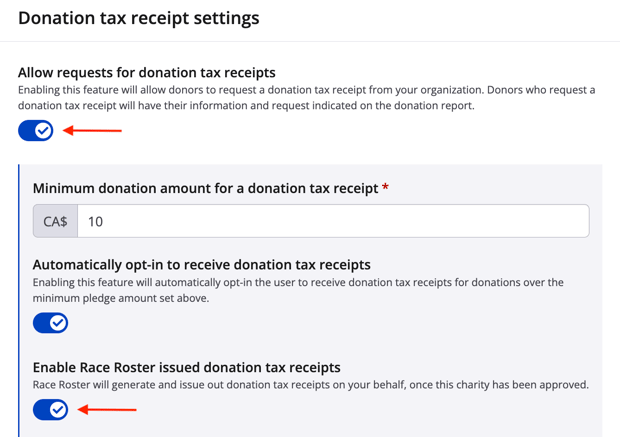
Note: Events in USD currency will need to be a recognized 501(c)(3) nonprofit organization to issue automated tax receipts. Fundraising organizations will need to confirm their legal charity status prior to being able to enable tax receipts.

6. Complete the fundraising organization's information, including address, signature signature, and receipt details.
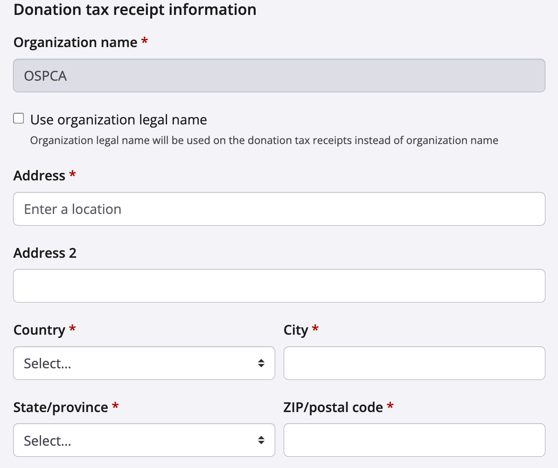
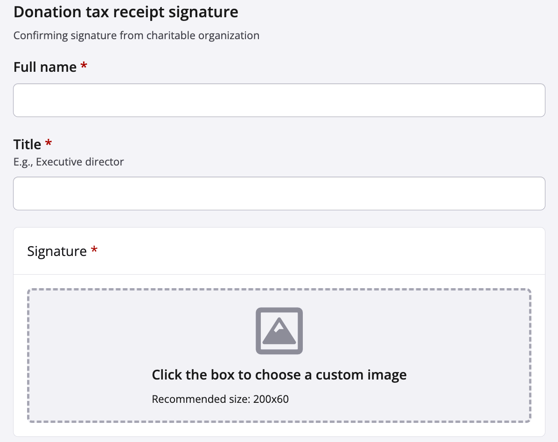
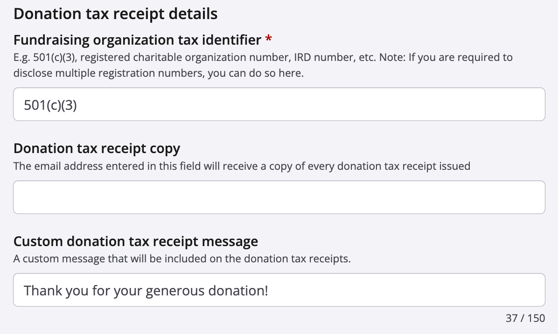
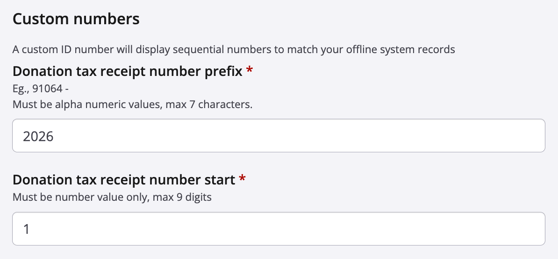
7. Enter the Custom numbers
- Donation tax receipt number prefix - Assists with tracking (i.e. the Event ID or year)
- Donation tax receipt number start - The number the receipts will start at after the prefix)
8. Once the information is ready to be approved, please review the Terms & conditions. Check off Submit this fundraising organization for tax receipt generation approval to agree to the terms & conditions.
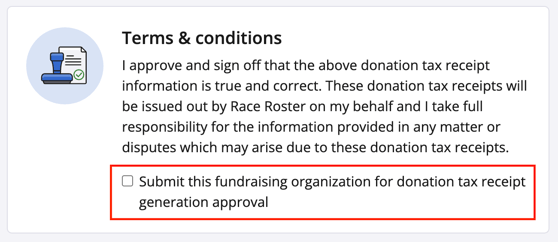
9. Scroll down and click Save at the bottom right of the page to issue the approval notice. The tax receipts will then be in Automatic (pending) status.
The Race Roster team will receive the request, then reach out to the fundraising organzation to verify that all the information is correct to approve the tax receipting. Once approved, the next individual that donates and requests a donation tax receipt will receive one automatically via email using the information entered in the above form. Tax receipts will also be issued retroactively to donors after the approval.
Note: If tax receipts should be enabled for multiple events or an event that has been duplicated, the fundraising coordinator will need to submit the tax receipts for approval in the dashboard of each event.
For additional assistance enabling automated donation tax receipts, please contact our team.