
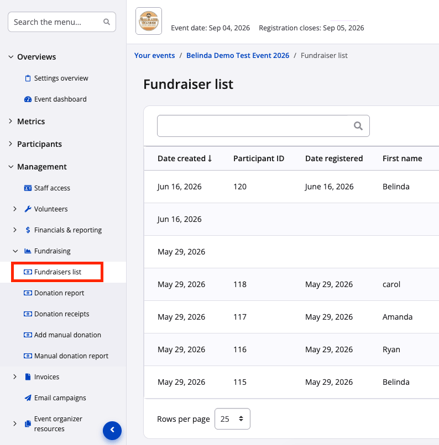
To find the Fundraisers list, navigate to Management > Fundraising > Fundraisers list.
Individual Fundraisers
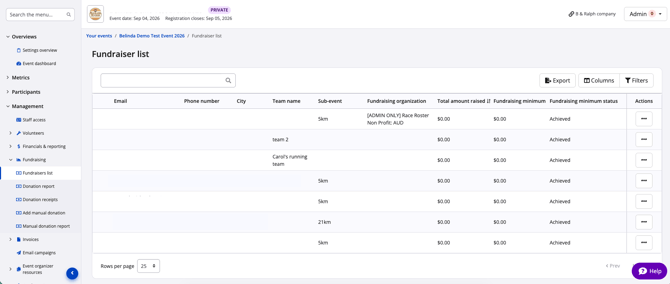
Each individual fundraiser will have a line on the Fundraisers list with their personal information as well as:
- Fundraising page link - this will open the individual fundraising page
- Team name - the fundraising team they are part of. If they are not part of a team, it will appear blank.
- Sub-event - the distance or category they have chosen to participate in.
- Fundraising organization - the organization that they have chosen as their preferred fundraising organization. All funds raised will be designated to this organization.
- Note: if an individual is part of a team, their preferred fundraising organization will be selected for them based on the team's preferred fundraising organization. All team members raise funds for the same organization.
- Total amount raised - this is the total amount raised from donations applied to their personal pledge page, whether from themselves or others.
- Note: the fundraising total for each individual does not include the team fundraising total. This total is designated to the Team Fundraiser row.
- Fundraising minimum - if your organization has set a fundraising minimum, it will appear here. If not, it will appear blank.
- Fundraising minimum status - if your organization has set a fundraising minimum, this will indicate whether the fundraiser has met the minimum of not. If no minimum has been sent, it will appear blank.
More information about setting up an individual fundraising minimum and how to use this function is coming soon! Please reach out to your Race Roster point of contact or contact support for more information in the meantime.
Team Fundraisers
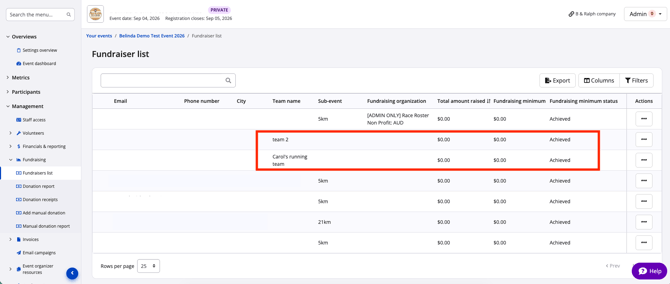
Each fundraising team will have a line on the Fundraisers list with the following information:
- Team name - the fundraising team name.
- Fundraising organization - the organization that the team captain has chosen as their preferred fundraising organization. All funds raised will be designated to this organization.
- Total amount raised - this is the total amount raised from donations applied to their personal pledge page, whether from themselves or others.
- Note: the fundraising total for the team does not include the individual team member fundraising totals. To calculate the total funds raised for a team, follow these steps:
1. Click Export to receive a secure link via email to download the list.
2. Check your email for an email with the subject 'Your fundraiser report is ready' from therunner@raceroster.com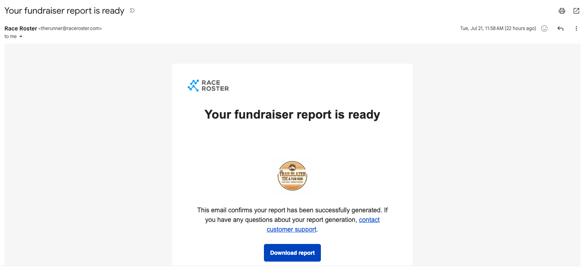
3. Click the blue Download report button to download your file.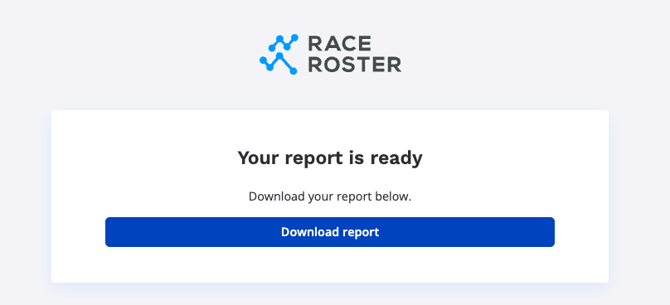
4. Open the file in Excel (or compatible program).
5. Sort the file by Team name and sum the Total amount raised for all team members and the team to find the total raised by team.
- Note: the fundraising total for the team does not include the individual team member fundraising totals. To calculate the total funds raised for a team, follow these steps:
- Fundraising minimum - if your organization has set a fundraising minimum for teams, it will appear here. If not, it will appear blank.
- Fundraising minimum status - if your organization has set a fundraising minimum for teams, this will indicate whether the fundraiser has met the minimum of not. If no minimum has been sent, it will appear blank.
More information about setting up a team fundraising minimum and how to use this function is coming soon! Please reach out to your Race Roster contact or contact support for more information in the meantime.