
When posting results on Race Roster, timers may choose to mark their results as Unofficial. This allows time to review and verify results after the race, particularly if any participant inquiries arise.
By setting a predefined expiration date and time, results will automatically transition from unofficial to official, removing the need to manually update their status. This provides flexibility while ensuring results are finalised in a timely manner.
To set an expiration date and time for unofficial results, follow the steps below.
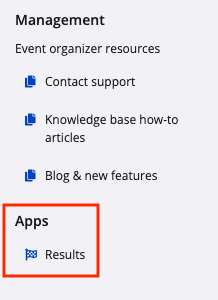
1. From your event dashboard, click on Apps -> Results from the lefthand side menu.
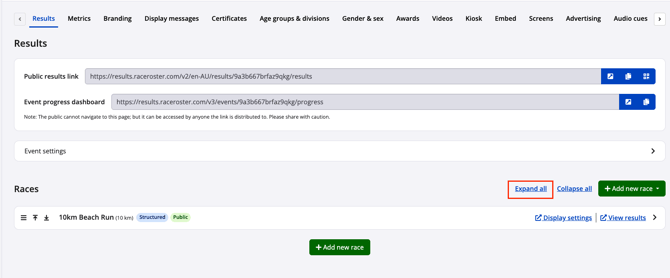
2. Within the Results dashboard, find the race that will be marked as unofficial. Select Expand all to see further Race details.
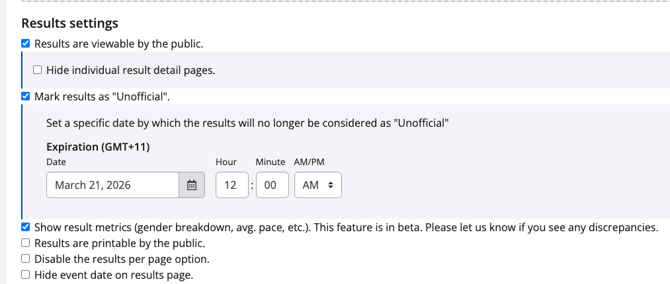
3. Scroll down to the Results settings section and enable Mark results as "Unofficial" to expand the expiration date selection settings. Input your desired expiration date and time. Changes will save automatically.
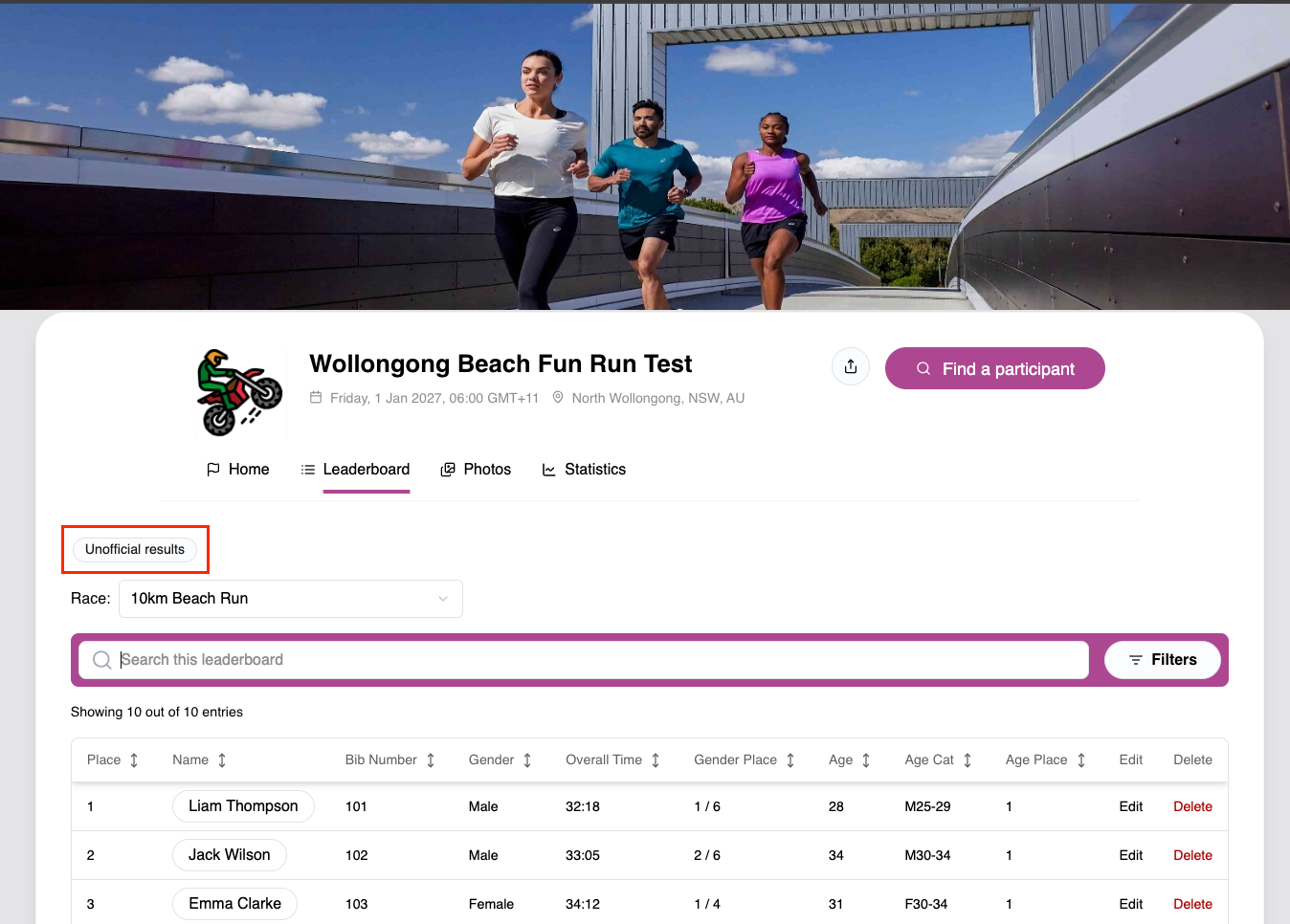
4. The results page will now display as Unofficial results to the public, letting viewers know that the results are not finalized and changes can still be made.
5. After the pre-set expiration date and time have been reached, the results page will no longer display as unofficial.
If you have any questions about setting up expiration dates for your unofficial results, please contact us at timer@raceroster.com