SMS campaigns allow event organisers to send text message communications to participants. SMS is available either by purchasing Race Roster credits or by integrating Twilio to send messages using an existing account.
Outside of North America, Race Roster SMS credits are charged at international rates. In most countries, integrating Twilio will be a more cost effective option.
For information on how to integrate with Twilio follow the instructions HERE
How to purchase SMS credits
1. Log in to the Timer Dashboard
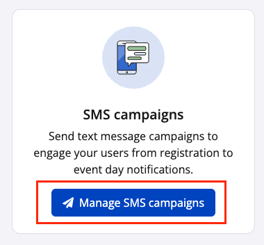
2. Select Messages from the left hand sidebar and choose Manage SMS Campaigns
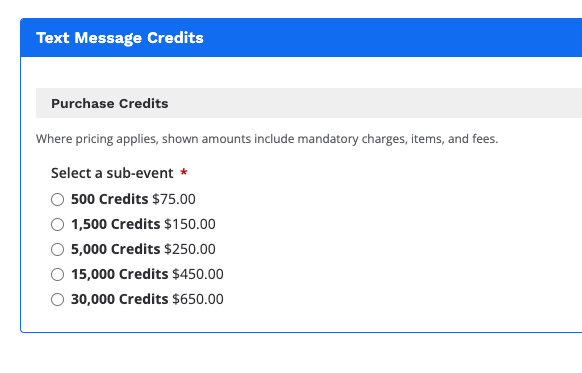
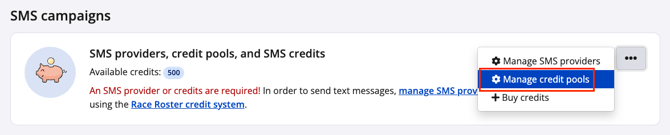
3. To purchase credits click the Race Roster credit system hyperlink to be directed to the Race Roster Text Message Credits page to purchase credits. Or select Buy credits from the three dot action icon on the right.

4. Select and complete the credit purchase
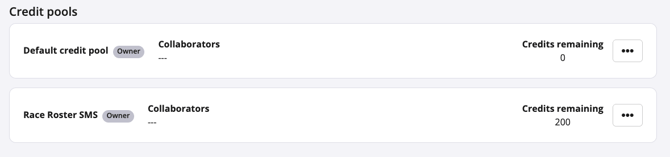
5. Once the purchase is complete, the updated credit balance will appear in the top banner of SMS Campaigns and under Manage credit pools


How to share SMS credits across staff in a Timing Company
1. From SMS Campaigns navigate to Manage credit pools
2. On the Manage credit pools page, select Add credit pool to create a new shared pool.

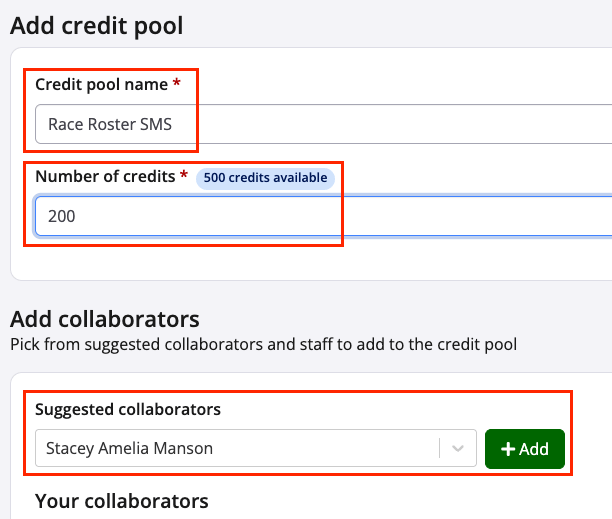
3. When setting up a credit pool, complete the following:
-
Enter a name for the credit pool
-
Assign the number of SMS credits to allocate
-
Add collaborators by searching for their name and selecting Add
Note: Collaborators must belong to the same Timing Company to be added to a shared credit pool.
4. Once all fields are complete, click Save. The credit pool will then be created and available for shared SMS campaign usage across assigned collaborators.